


















Sold out

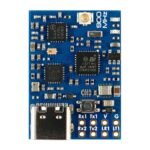
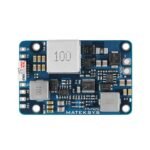
Matek mR900-30-TX mLRS (MAVLink long range system) firmware 900MHz Lora 30 dBm TX Module KIT
$50.99
| Weight | 0.052 kg |
|---|
Out of stock
Description
MATEKSYS mLRS 900MHz series are NOT compatible with ELRS 900MHz & Frsky R9 series using the SX127x. They will not bind with each other.
LoRa chip SX126x(e.g. mR900-30, E22) and STM32WLE5xx(e.g. mR900-22, WIO-E5, E77) are compatible with each other.
Experience unparalleled long-range connectivity with the Matek mR900-30-TX mLRS. Equipped with MAVLink firmware and a 900 MHz LoRa band, this module boasts 30 dBm RF power for optimal transmission strength. Stay connected with confidence and clarity.
Check out all our External Modules/Receivers Collection, and the rest of our Matek products!

You can also print a 3D Case with the Provided files here:


Routing and Layout:


Dip switch
- Dip switch 1/2/3 all ON, enable HC-04 communication with UART1 of STM32G431
- Dip switch 3 ON, 1 & 2 OFF, connect USB-TTL to G/3v3/BT-T/BT-R to configure HC04 via AT command
- Dip switch 1/2/3 all OFF, you can connect other Bluetooth or WiFi module to G/3v3/Rx1/Tx1
Firmware Flashing:
Download STM32CubeProgrammer from ST website
mLRS firmware:
- https://github.com/olliw42/mLRS/tree/v1.3/firmware/release-matek
- Targets: tx-matek-mr900-30-g431kb-default
Make sure STM DFU driver has been installed. Check out “Install DFU Drivers” in this page
Connect the TX module USB to computer while holding the boot button in.
- Select USB
- USB1 and click Refresh
- Connect
- select “Erasing & Programming”
- Tick all sectors and click “erase selected sectors”
- Browse firmware (hex or bin file) related to the hardware.
- Click “Start Programming”
- After programming, unplug USB and plug USB back in. If red LED blinks at 2Hz, the TX module is waiting for connecting with receiver.

Lua Script Configuration:
https://github.com/olliw42/mLRS/tree/main/lua
The mLRS Lua script provides the most convenient way to change the Tx and Rx module’s settings.
The Lua script works on both OpenTx and EdgeTx radios but there are two different versions depending on the display of your radio:
- If your radio has a 480×272 color screen (e.g. Jumper T16, Radiomaster TX16S) then use the “mLRS.lua” file
- If your radio has a black and white screen (e.g. Frsky Taranis X9E, Radiomaster Zorro) then use the “mLRS-bw.lua” file
Note: The mLRS script requires EdgeTx version 2.9.x or later.
Setup
Three things need to be done in order to use the Lua script:
The Tx module must be configured for CRSF or mBridge mode, by setting the parameter “Tx Ch Source” to “crsf” or “mbridge” respectively. Since firmware version v0.2.13 “crsf” is the default setting, so this will be already completed after an initial flash. If not, the CLI needs to be used to set this parameter accordingly, as described in CLI Commands.
In EdgeTX/OpenTX, navigate to MDL->MODEL SETUP and configure the external RF module for CRSF or mBridge protocol with 400K baud rate.
- Note: mLRS only officially supports 400K baud rate.
The Lua script “mLRS.lua” or “mLRS-bw.lua” located in the “lua” folder of the repository needs to be copied to the “SCRIPTS/TOOLS” folder of the radio’s SD card. One can follow the common tutorials for how to do this.
You should then be able to run the Lua script by going to SYS->TOOLS on the radio, and selecting “mLRS Configurator”.

Specifications:
- mR900-30
- STM32G431KB, mLRS firmware
- LoRa SX1262 with TCXO
- PA/LNA SKY68383-11
- RF Frequency: 900MHz (868MHz, 915MHz FCC)
- 915MHz RF power: 21dBm(min) / 22dBm / 24dBm / 27dBm / 30dBm(1000mW)
- 868MHz RF power: 24dBm(min) / 24dBm / 24dBm / 27dBm / 30dBm(1000mW)
- Antenna connector: IPEX MHF-1 to SMA
- mRx-Tx Adapter
- Built-in HC-04 Bluetooth module
- Built-in 5V fan controller, running if output power>=500mW
- TX2: RC IN(CRSF)
- one buttom for DFU mode and Bind
- Red and Green LED for mLRS status
- Blue LED for Bluetooth status
- Power supply: 5-13V DC @ JR_PIN3 (VIN)
LED Status
- [Red flashing 2Hz], not connected to transmitter
- [Green flashing 1Hz], connected to transmitter
- [Red and Green alternately ], Binding mode enabled
Binding
- After powering on, press the bind button (for ca. 4 seconds) on the receiver. When in bind mode, the green and red LEDs will blink alternatively with ca 2.5 Hz.
- https://github.com/olliw42/mLRS-docu/blob/master/docs/BINDING.md
Firmware
- mLRS https://github.com/olliw42/mLRS/tree/v1.3/firmware/release-matek
- Target: tx-matek-mr900-30-g431kb-default
Tips
Package Includes:
- 1 x mR900-30-TX,
- 1 x IPEX MHF1 to SMA adapter cable 5cm,
- 1 x IPEX MHF1 to RP-SMA adapter cable 5cm
- 1 x 5V Fan (25*25*10mm) and some screws
- no SMA antenna & 3D printed Case packed
Reviews (0)
Only logged in customers who have purchased this product may leave a review.
Shipping and Delivery














Reviews
There are no reviews yet.