Ready-to-Fly Drones · Shop by specification
Find the right ready-to-fly drones faster.
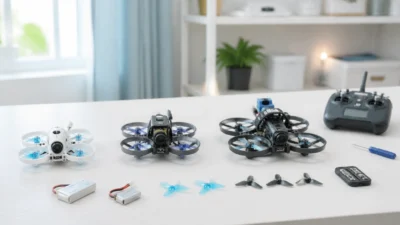
Choose the aircraft type and package format that matches how quickly you want to get flying.

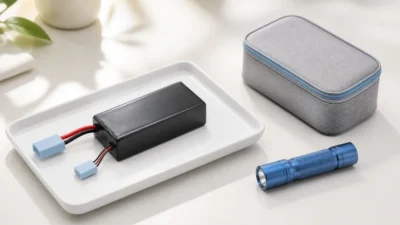
FPV batteries can deliver very high current. Short circuit, overcharge, heat, physical damage or an incorrect charger setting can create a fire risk. Use the exact battery and charger instructions, follow local transport and disposal rules, and stop using a pack when its condition is uncertain.
This page combines battery handling with an aircraft preflight sequence because many preventable failures begin at the connector, pack, propeller or configuration stage.
Do not charge a damaged pack to “test whether it recovers.” Move away from people and combustible material only when it is safe to do so, and follow local fire/emergency and hazardous-waste instructions.
| Check | Verify |
|---|---|
| Chemistry | LiPo, LiHV or Li-ion mode matches the exact pack |
| Cell count | charger detection and pack label agree |
| Voltage | each cell is plausible and within the pack instructions |
| Charge current | within the manufacturer’s documented limit |
| Connector/polarity | main and balance connections are undamaged and correctly oriented |
| Location | supervised, stable, nonflammable area away from exits and combustible material |
A “1C” example means charge current in amps equals capacity in amp-hours, but it is not a universal permission. Use the battery manufacturer’s limit. Never use LiHV mode for a standard LiPo.
Stay present and monitor the pack and charger. Stop if the charger reports a fault, cell behavior is abnormal, or the pack heats unexpectedly. After charging, disconnect according to the charger instructions, protect the terminals from short circuit and allow the pack to return to a normal temperature before use.
Store batteries at the voltage, temperature and enclosure conditions specified by the manufacturer. Separate damaged or uncertain packs from normal inventory and use an approved disposal route.
Protect battery terminals against short circuit and prevent physical damage. Air transport rules depend on battery energy, quantity, whether the battery is installed and the operator/jurisdiction. Check current airline and authority requirements before travel; do not rely on an FPV blog as a shipping declaration.
Power the transmitter first when required by the system, then connect the aircraft in a safe orientation. Watch and listen for normal startup behavior. Disconnect immediately if there is smoke, repeated rebooting, abnormal heat or an unexpected motor response.
Confirm:
Use a clear area and keep the first hover short and low-risk. Listen for oscillation or mechanical noise. Land immediately for unexpected drift, vibration, hot electronics, voltage collapse or control/video issues. After landing, disarm, disconnect the battery and inspect motor/ESC temperature, fasteners, propellers, wiring and the pack.
Do not make a long-range, payload or aggressive flight the first test after a new build, firmware change or repair.
Use the battery and charger compatibility guide, Beginner Build path, Repair & Upgrade path and battery category. For an OEM battery or connector match, send WXBMW the chemistry, cell count, capacity, connector, dimensions, weight and required current.
Next step after this guide
Use the guide to define the required specifications, verify the aircraft-level Build path, then compare current WXBMW parts. Recheck voltage, mounting, protocol, connector and load compatibility before ordering.
No in-stock WXBMW option is shown for this exact category right now. Use the specification-match request instead of assuming a nearby item is compatible.
No account yet?
Create an Account